
WebPilot
Customer Sign In
See WebPilot in action
Use the full PathPilot desktop when you need the control, use lightweight telemetry when you only need machine status, and send program files to the controller from the same browser session. WebPilot is usable from desktop/laptop browsers and from phones or tablets when you are away from the shop.
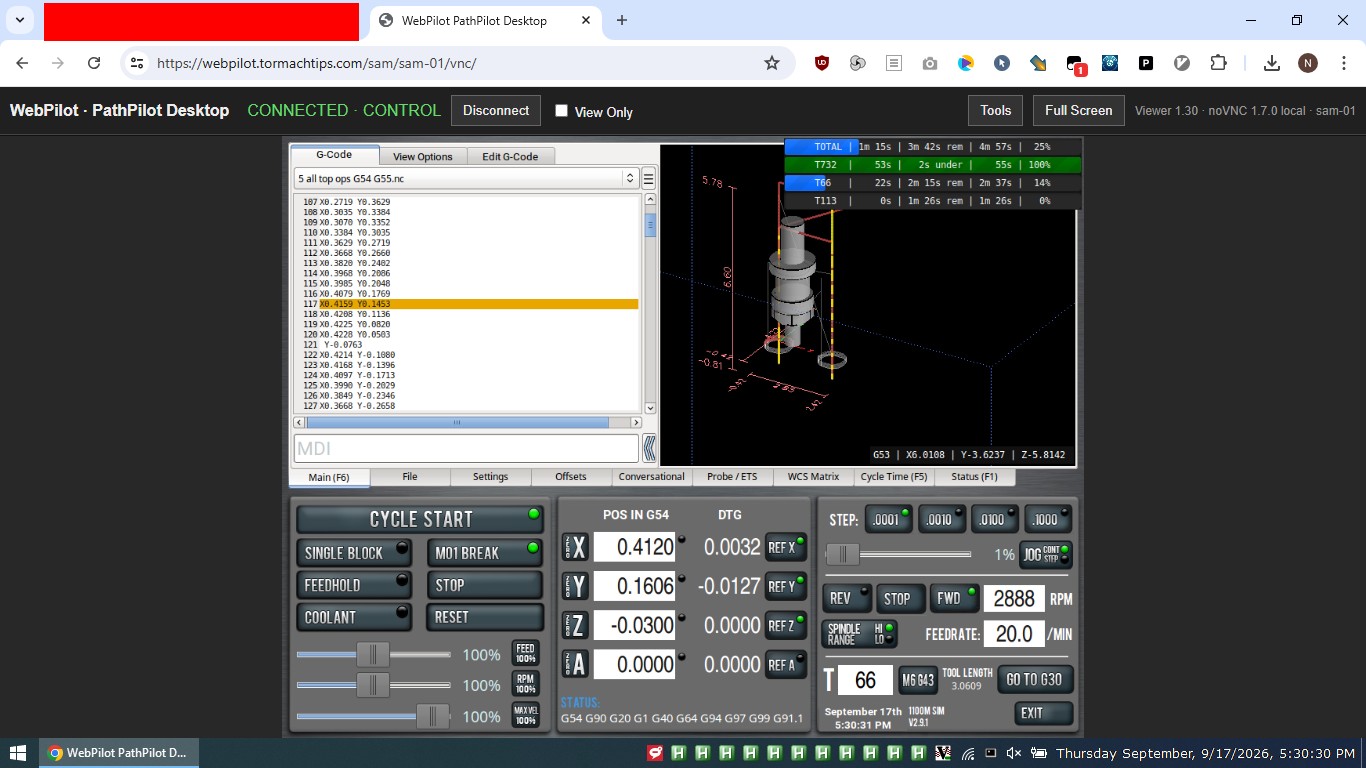
Remote PathPilot Desktop
Open the real PathPilot screen directly in your browser from a computer, phone, or tablet. View or control the controller remotely without exposing VNC or opening an inbound port at the shop.
Click the image for a full-size view.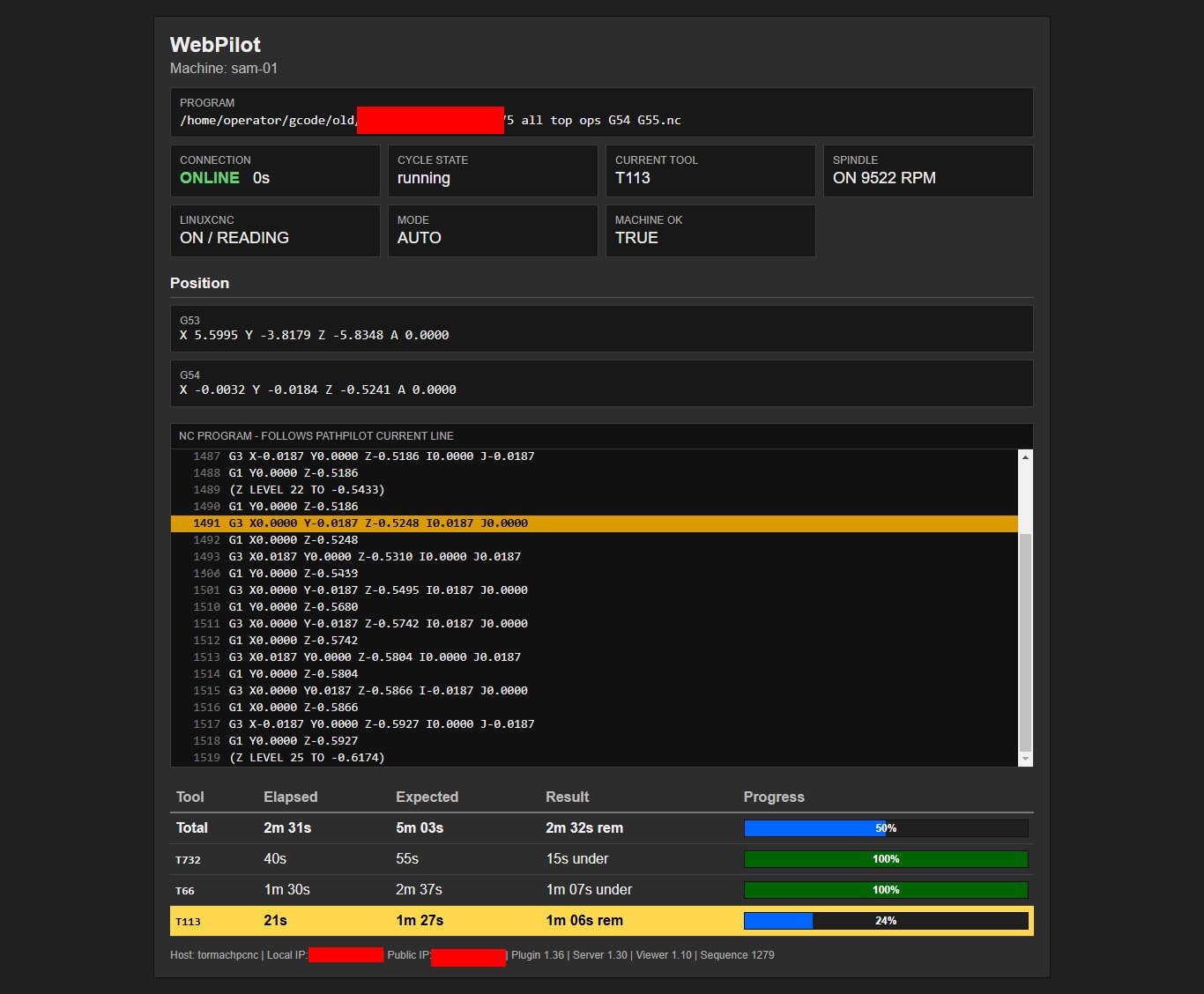
Live Telemetry + File Transfer
Check program, cycle state, tool, spindle, positions, current NC line, and job progress without opening a full remote-desktop session. You can also upload files directly to PathPilot from the Telemetry or Remote Desktop page.
Click the image for a full-size view.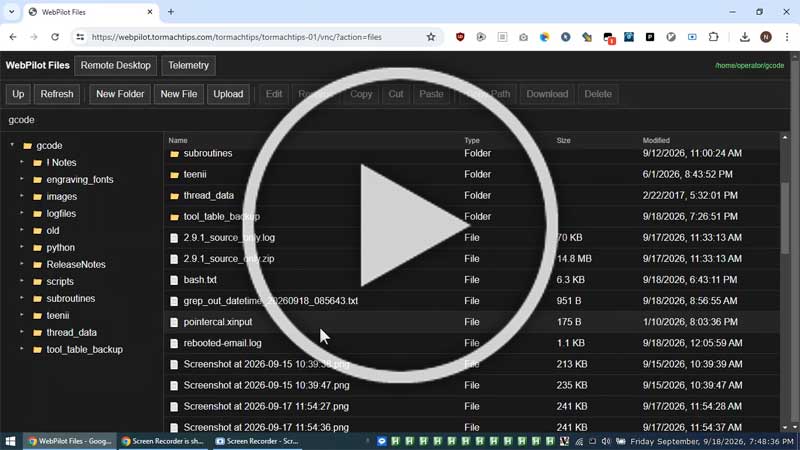
Watch WebPilot in Action
See WebPilot used as a complete remote PathPilot workflow, including browser-based machine access and the tools available when you are away from the control.
Click the image to watch on YouTube.Try it for 48 hours
Create an account and download your machine-specific PathPilot package. Your trial does not begin until the controller successfully connects to WebPilot for the first time.
Start Free TrialSend files from anywhere
Select one or many files in WebPilot and send them securely to the PathPilot controller from wherever you have browser access. No USB stick, remote file share, or inbound shop connection is required.
Less exposure to Internet scanning
Because the PathPilot controller initiates an encrypted outbound connection, you do not have to publish a VNC port through your shop router. That reduces the Internet-facing attack surface and avoids leaving a forwarded VNC service exposed to routine port scanners, credential probes, and automated bots.
Desktop, phone or tablet
Use WebPilot from a normal desktop or laptop browser, or check in from a phone or tablet. Telemetry, file transfer, and the remote PathPilot desktop stay behind the same WebPilot account.
Simple PathPilot install
Copy three files into PathPilot's lowercase python folder and reboot. Use the same USB drive, Dropbox, PathPilot HUB, or shared-drive method you already use for NC programs.
Simple pricing
First machine: $10/month or $100/year.
Second machine: $5/month or $50/year.
Your 48-hour free trial starts only after the first successful controller connection.
PathPilot compatibility
Supports PathPilot-equipped Tormach 440, 770, 1100, 1500, 8L, and 15L machines, across all series/generations using PathPilot. Mach3 and Mach4 are not supported.
Why a subscription?
WebPilot is not only software running on your CNC. Your controller maintains an encrypted outbound connection to WebPilot-hosted servers that provide the browser relay and account infrastructure. The subscription covers that always-on server service, bandwidth, maintenance, and updates while avoiding inbound port forwarding.
Ready to continue after the trial?
Logged-in one-machine customers can choose $10 monthly or $100 annual access directly from the WebPilot portal through QuickBooks. Additional-machine and special billing arrangements can be handled through the TormachTips contact form.